
Introduction
Many solar energy storage systems use a hybrid inverter that combines:
- MPPT solar charging
- Battery charging
- DC-to-AC inversion
- Grid connection
But an inverter is not always necessary for charging the battery.
A common question from installers and off-grid users is:
Can solar panels charge a LiFePO4 battery through an MPPT charge controller without connecting an inverter?
Yes.
A properly selected MPPT controller can charge a LiFePO4 battery directly from a PV array.
The basic architecture is:
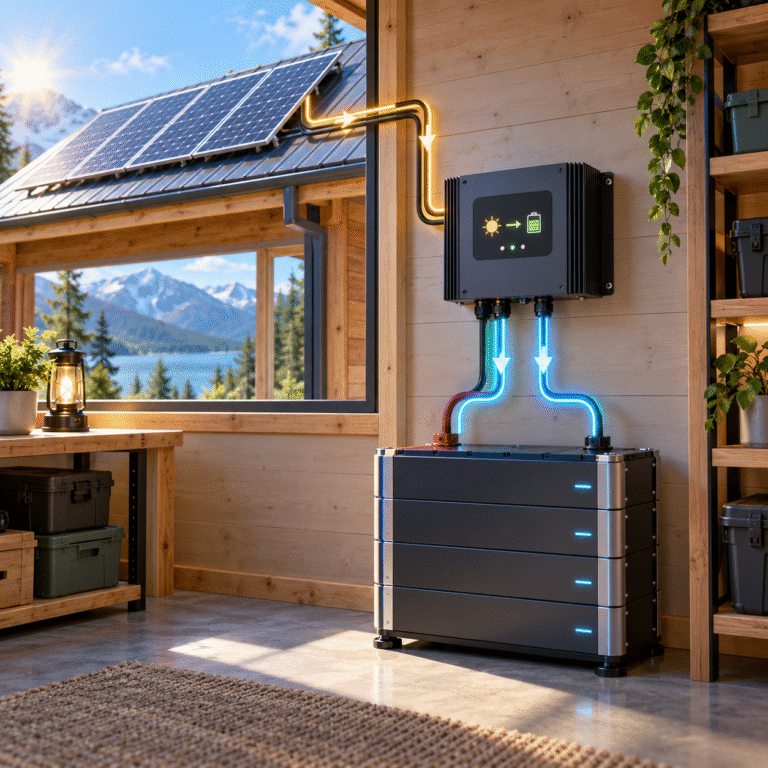
Solar Panels → MPPT Charge Controller → LiFePO4 Battery
The inverter is only required when stored DC energy needs to be converted into AC electricity for AC loads.
This simple architecture is widely used in:
- Telecom sites
- Solar street lighting
- Remote monitoring stations
- RV and marine systems
- Small off-grid installations
- DC backup systems
However, the MPPT controller must be compatible with the battery’s charging requirements.
What Does the MPPT Controller Actually Do?
Solar-panel voltage changes according to:
- Sunlight
- Panel temperature
- String configuration
- Load conditions
A LiFePO4 battery, however, requires controlled charging voltage and current.
The MPPT controller performs two important functions.
1. Maximum Power Point Tracking
It adjusts the PV operating point to obtain useful power from the solar array.
2. Battery Charging Control
It converts that PV power into a voltage and current suitable for the connected battery.
Without a charge controller, directly connecting most solar arrays to a LiFePO4 battery would provide no proper regulation.
Do Not Connect Solar Panels Directly to the Battery
A solar panel is not a regulated battery charger.
Its voltage can change substantially.
For example, a nominal solar module may have:
- Vmp considerably higher than battery voltage
- Voc even higher
Connecting the panel directly to a battery can result in:
- Uncontrolled charging current
- Excessive battery voltage
- BMS protection
- Poor solar utilization
- Potential equipment damage
Use a properly designed solar charge controller.
MPPT vs PWM for LiFePO4
Both PWM and MPPT controllers can theoretically be used with suitable battery charging parameters.
However, MPPT is generally preferred for modern energy storage systems because it can:
- Use higher PV string voltage
- Convert excess PV voltage into charging current
- Improve energy harvest
- Provide more flexible panel configuration
For larger LiFePO4 battery systems, MPPT is normally the more practical solution.
The Controller Must Have Lithium-Compatible Settings
Do not assume that every solar charge controller works correctly with LiFePO4.
Check whether it supports:
- LiFePO4 mode
- User-defined charging voltage
- Adjustable charge current
- Adjustable float voltage
- Equalization disable
- Temperature-compensation settings
Controllers designed only for traditional lead-acid batteries may use charging behavior that is unsuitable for lithium batteries.
Battery Voltage Must Match the Controller
Common LiFePO4 nominal voltages include:
- 12.8V
- 25.6V
- 48V / 51.2V
The MPPT controller must support the corresponding battery-voltage range.
For example, a controller designed only for:
12V / 24V batteries
cannot automatically be used with a:
51.2V battery
Check the controller’s battery-output specification.
Automatic Voltage Detection Can Cause Problems
Some solar controllers automatically detect whether the battery is:
- 12V
- 24V
- 48V
This is convenient, but correct startup procedure matters.
Many controllers should be connected to the battery before the PV array.
Why?
The controller may use battery voltage to identify the system voltage.
If PV is connected first, some models may:
- Detect incorrectly
- Fail to start
- Enter protection
Always follow the manufacturer’s wiring sequence.
Typical Connection Sequence
A common installation process is:
- Confirm battery polarity.
- Connect battery to MPPT controller.
- Allow controller to detect battery voltage.
- Configure battery chemistry and charge parameters.
- Connect PV input.
- Verify charging voltage and current.
- Confirm BMS status.
When shutting the system down, manufacturers may recommend the reverse sequence.
Always check the controller manual.
Charging Voltage Must Come from the Battery Specification
Suppose you have a:
51.2V LiFePO4 battery
Do not simply search online for:
“51.2V lithium charging voltage”
and use the first number you find.
Different battery manufacturers may specify different values according to:
- BMS design
- Cell configuration
- Desired SOC target
- Balancing strategy
The battery supplier should provide:
- Recommended charging voltage
- Maximum charging voltage
- Recommended charging current
- Maximum charging current
Use these values when configuring the MPPT controller.
Equalization Should Normally Be Disabled
Lead-acid solar charge controllers often include an equalization stage.
LiFePO4 does not require traditional lead-acid equalization.
If equalization is left active, the controller may periodically raise charging voltage.
Possible result:
- BMS overvoltage protection
- Charging interruption
- Repeated reconnect cycles
For LiFePO4 operation, equalization should normally be disabled unless specifically required by the battery manufacturer.
What About Float Voltage?
Traditional lead-acid batteries commonly remain on float charge.
LiFePO4 does not need the same continuous high-SOC maintenance strategy.
Depending on the controller:
- Float may be disabled
- Float may be set lower
- A manufacturer-recommended value may be used
Do not copy AGM/GEL float settings automatically.
Temperature Compensation Needs Review
Lead-acid controllers often increase or decrease charging voltage according to temperature.
This is useful for lead-acid chemistry.
LiFePO4 temperature management is different.
Many lithium batteries use BMS temperature protection rather than traditional lead-acid voltage compensation.
When using an MPPT controller in user-defined mode, check whether temperature compensation should be disabled.
Can the MPPT Communicate with the Battery BMS?
Some larger solar charge controllers support communication.
But many standalone MPPT units operate without direct CAN or RS485 communication to the battery.
In that case, charging is controlled using:
- Battery voltage
- Configured current limit
while the BMS remains the final protection layer.
This is often called an:
open-loop charging system
It can work reliably if the charging parameters are correctly configured.
What Happens Without CAN Communication?
Suppose the battery becomes hot.
A communicating hybrid inverter may receive:
Reduce charging current to 30A from the BMS.
A simple standalone MPPT may not receive that message.
It may continue applying the configured current until the BMS reaches its protection threshold.
Therefore, when using open-loop MPPT charging, leave reasonable operating margins.
How Large Should the MPPT Controller Be?
Controller sizing depends on:
- Battery voltage
- PV power
- Maximum PV voltage
- PV current
- Desired charging current
For example, suppose:
Battery = 51.2V 100Ah
Desired maximum charging current = 40A
Approximate nominal battery-side power:
51.2 × 40 ≈ 2.05kW
A controller should be selected according to its actual rated battery charging power and input specification.
Do not size it only from battery amp-hours.
Oversized Solar Arrays Need Controller Limits
Suppose:
PV array = 5kW
MPPT battery output limit = 3kW
The solar array may sometimes produce more available energy than the controller can send to the battery.
The controller will limit output.
This is normal.
The battery does not automatically receive the full PV-array nameplate power.
PV String Voltage Is Critical
The PV array must operate inside the MPPT controller’s permitted voltage range.
Check:
- Minimum MPPT voltage
- Maximum MPPT voltage
- Startup voltage
- Maximum PV open-circuit voltage
A large solar array with incorrect string voltage can charge poorly even if total wattage is sufficient.
Example: 51.2V Off-Grid Battery
Consider:
Battery: 51.2V 200Ah
Nominal energy: 51.2 × 200 = 10.24kWh
MPPT charger: Maximum battery current = 60A
Approximate nominal battery charging power: 51.2 × 60 ≈ 3.07kW
If the battery needs approximately 7kWh restored, idealized charging time at full output would exceed two hours.
Actual time will be longer because of:
- Loads
- PV variation
- Charging-current reduction
- Conversion losses
DC Loads Can Operate Without an Inverter
One advantage of this architecture is that DC loads may be powered without AC conversion.
For example:
Solar → MPPT → Battery → DC Telecom Load
There is no need for a DC-to-AC inverter if all loads operate on DC.
This can reduce:
- Conversion stages
- Equipment count
- Standby consumption
That is why telecom and communication systems frequently use DC battery architectures.
When Is an Inverter Necessary?
An inverter is required when the battery must power AC equipment such as:
- Household appliances
- Air conditioners
- AC pumps
- Industrial equipment
The architecture then becomes:
PV → MPPT → Battery → Inverter → AC Load
The MPPT and inverter can still be separate devices.
They do not have to be integrated into one hybrid inverter.
Separate MPPT and Inverter: Advantages
This modular architecture can provide:
- Flexible equipment selection
- Easier replacement
- Multiple solar controllers
- Redundancy
- Expansion options
For large off-grid systems, several MPPT controllers may charge the same battery bank.
Multiple MPPT Controllers Need a Combined Current Limit
Suppose:
MPPT 1 = 40A
MPPT 2 = 40A
MPPT 3 = 40A
Potential total charging current: 120A
If the battery supports only: 100A
the configuration must be adjusted.
Every controller can be within its own limit while the battery still receives excessive combined current.
MPPT Controllers Do Not Automatically Coordinate
Unless the controllers communicate with one another, each may operate independently.
One controller may see battery voltage and continue charging without knowing that another charger is already supplying substantial current.
This is why total charging-current calculations are essential.
Battery BMS Protection Should Not Be the Normal Charge Controller
Some installers intentionally set MPPT voltage high enough that the BMS disconnects when full.
This is not ideal.
Normal charging should be controlled by the MPPT’s voltage and current settings.
The BMS should remain the final protection layer.
Repeated BMS high-voltage trips suggest that charging parameters should be reviewed.
What Happens When the Battery Becomes Full?
When the configured charging-voltage target is reached, the MPPT controller reduces charging current.
If the battery cannot accept additional energy, the controller simply extracts less power from the PV array.
Solar panels do not need to deliver maximum power continuously.
Unused solar potential is effectively curtailed.
What If Loads Are Running at the Same Time?
Suppose:
PV available = 4kW
DC/AC loads = 2.5kW
Only part of the remaining energy is available for battery charging.
The MPPT may be producing substantial power while battery SOC rises slowly.
Always look at the complete energy balance.
Troubleshooting: Solar Input but Zero Battery Current
Check:
- Battery SOC
- BMS charge status
- Battery temperature
- MPPT charging-voltage setting
- Equalization setting
- PV voltage
- PV current
- Controller battery-voltage detection
- DC breaker/fuse
- Battery polarity
Do not replace the battery before confirming whether the controller is actually requesting charging.
Troubleshooting: MPPT Repeatedly Starts and Stops
Possible causes include:
- PV voltage close to startup threshold
- BMS protection
- Charging voltage too high
- Battery temperature protection
- Loose DC connection
- Controller overheating
Record both: PV-side data and battery-side data at the same time.
MPPT Charging Is Particularly Useful For
Telecom Sites
Direct DC architecture and high reliability.
Solar Street Lighting
Simple solar-to-battery charging.
Remote Monitoring
Low AC requirements.
Off-Grid Cabins
Modular PV and battery architecture.
Agricultural Systems
Solar charging for pumps and remote power.
Information to Provide When Selecting an MPPT
For a B2B project, provide:
- Battery nominal voltage
- Battery capacity
- Recommended charge current
- Maximum charge current
- Solar-panel model
- Number of panels
- Panel Vmp
- Panel Voc
- Proposed series/parallel arrangement
- Expected minimum temperature
- Expected maximum temperature
This allows both battery and PV sides to be checked.
Common Mistakes
Avoid:
- Connecting PV directly to the battery
- Using a lead-acid-only controller without checking settings
- Leaving equalization enabled
- Ignoring PV string voltage
- Exceeding MPPT input current
- Configuring each MPPT independently without considering total battery current
- Using BMS protection as normal charge termination
Conclusion
A LiFePO4 battery does not need a hybrid inverter in order to charge from solar energy.
A correctly selected MPPT controller can provide a simple and efficient charging path:
Solar Panels → MPPT → LiFePO4 Battery
The key is correct matching of:
- PV voltage
- MPPT input range
- Battery voltage
- Charging current
- Charging settings
- BMS limits
HIZN supplies LiFePO4 batteries for residential solar, telecom, commercial and off-grid energy storage systems, including 12.8V, 25.6V, 48V and 51.2V solutions.
If you are designing a direct solar-to-battery system, send us your solar-panel model, panel quantity, MPPT controller and required battery capacity. We can help review the charging compatibility before installation.